 Ultra Cleaner
How to Merge Duplicate Contacts on iPhone
Duplicate contacts pile up from years of syncing — Gmail, iCloud, WhatsApp, old SIM imports — until "Mom" exists three times with three different numbers. Merging combines each cluster into one card that keeps every phone number, email and address. The golden rule: back up your contacts before any merge.
Last updated: July 14, 2026
The built-in way (one pair at a time)
The iPhone Contacts app detects some duplicates: open Contacts, and if iOS found duplicates you'll see Duplicates Found under your card. Tap it, review each pair, and merge one by one. It's safe but slow, misses contacts whose names differ slightly, and offers no backup.
The fast way: merge in bulk with a backup first
- Download Ultra Cleaner and open Contacts. Allow access when asked.
- Open Duplicate Contacts — contacts sharing a phone number or the same name are grouped together. Deselect anyone you don't want merged.
- Tap Merge. The app offers to back up your address book first — do it. The backup is stored on your device and restorable anytime.
- Confirm. Each group becomes one contact holding all its numbers, emails, addresses — and it keeps the contact photo.
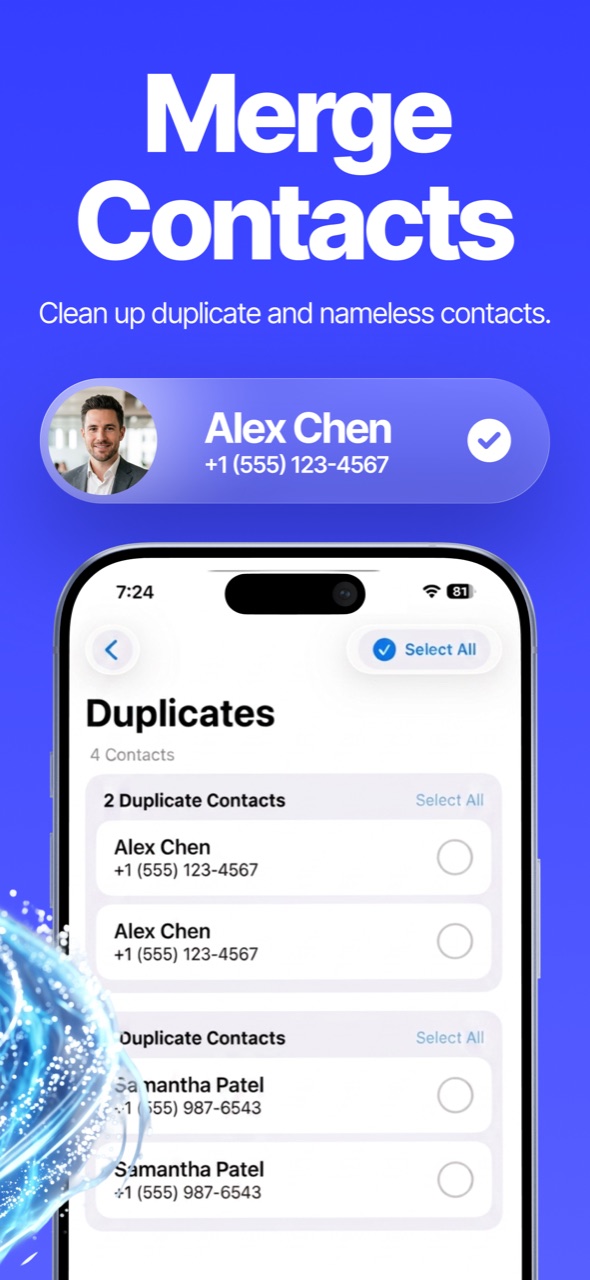
Also worth cleaning: nameless and incomplete contacts
The same Contacts tab lists incomplete contacts — numbers with no name, or names with no number — which you can review and delete in bulk. Those are usually the majority of address-book clutter.
FAQ
Will merging lose any phone numbers or emails?
No — the merged card keeps the union of every number, email, URL and address from the group (duplicates collapsed).
What if two different people share a name?
Groups show every member before merging — deselect anyone who doesn't belong and they're left untouched.
Where is the backup stored?
On your device, inside the app. Open Contacts → Backups to view or restore any snapshot.